

Why Every Local Business Needs a “Rate Us on Google” Strategy
If you want to rate us on Google to become a phrase your customers actually act on, you need to make it as easy as possible for them to do it.
Here’s the fastest way to get started:
- Sign in to your Google Business Profile
- Click “Ask for reviews” (or “Get more reviews”)
- Copy the short review link Google generates for you
- Share that link via email, text, receipts, or a printed QR code
- Place the QR code or link anywhere customers interact with your business
That’s the core of it. The rest of this guide goes deeper on each step.
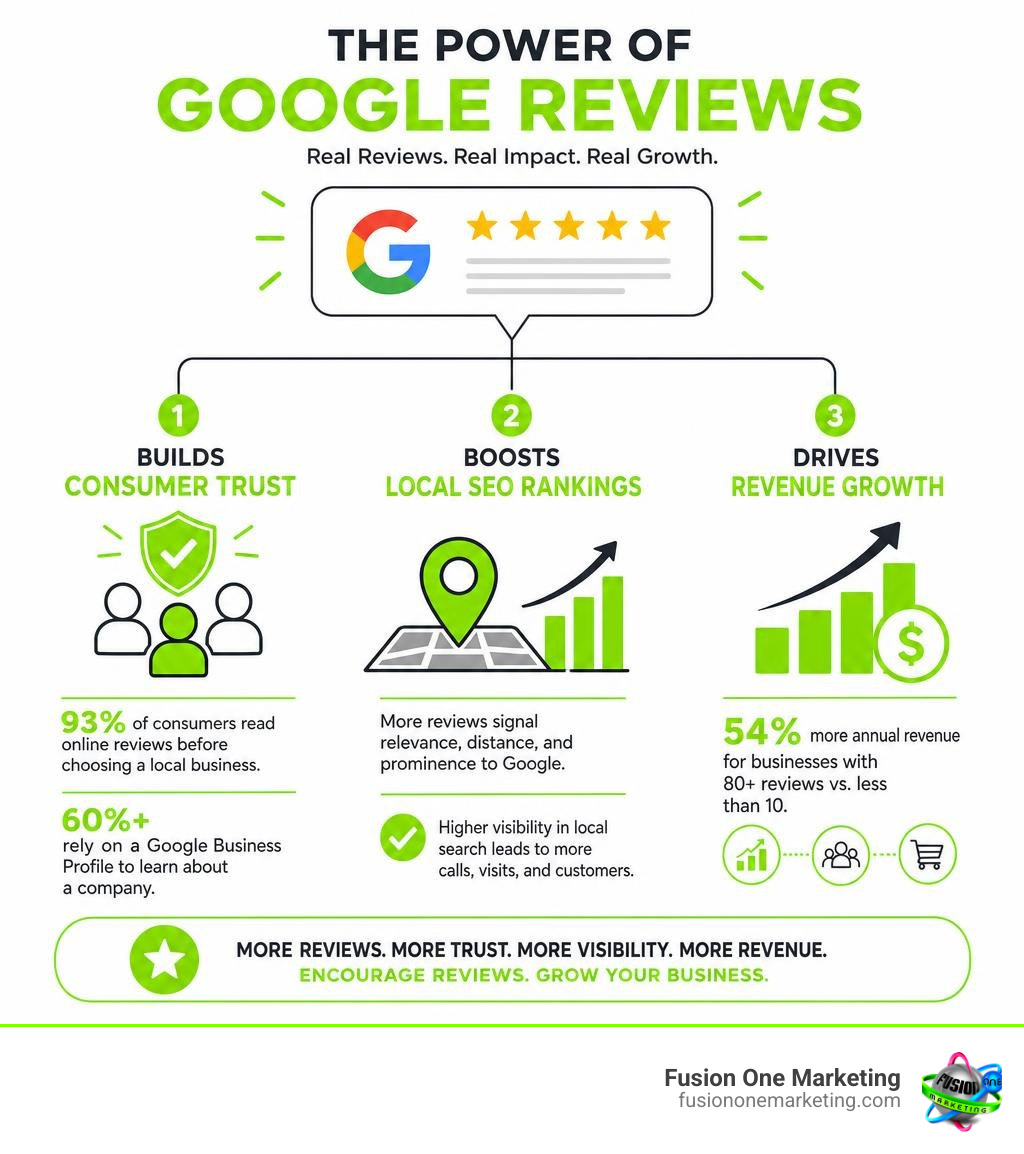
The numbers tell a clear story. 93% of consumers read online reviews before choosing a local business. More than 60% rely on a Google Business Profile to learn about a company. And businesses with 80 or more reviews earn up to 54% more annual revenue than those with fewer than 10.
For a home services business — a plumber, HVAC company, landscaper, or electrician — Google reviews are not a nice-to-have. They are one of the most powerful tools you have for showing up in local search and converting strangers into paying customers.
The problem most small business owners face isn’t wanting reviews. It’s not having a simple, repeatable system to collect them consistently.
That’s exactly what this guide solves.
I’m Rob Humm, co-owner of Fusion One Marketing and a digital marketing strategist with over a decade of experience helping local businesses rate us on Google their way to stronger visibility and more consistent leads through Local Search and reputation management. Everything in this guide comes from real-world experience working with small businesses just like yours.
Rate us on google further reading:
Why a “Rate Us on Google” Strategy is Essential for Local SEO
In July 2026, local search engine optimization (SEO) is more competitive than ever. When someone in Birmingham, AL, searches for “emergency plumber near me” or a homeowner in Huntsville, AL, looks for “best HVAC repair,” Google’s local algorithm has to make split-second decisions about which companies to showcase in the coveted “Local 3-Pack.”
How does Google make this decision? While proximity and relevance are crucial, prominence plays a massive role. Prominence is heavily driven by your Google reviews.
To build local SEO prominence, you must focus on three core metrics:
- Review Volume: The total number of reviews on your profile.
- Review Rating: Your overall star rating (the trust “sweet spot” is typically between 4.2 and 4.8 stars, as a perfect 5.0 can sometimes trigger consumer skepticism).
- Review Velocity: How frequently you receive new reviews. A business with 200 reviews from three years ago will often lose search visibility to a competitor in Helena, AL, who is getting five fresh reviews every single week.
According to Google’s official state detail: Alabama data, digital tools and an active online presence help local businesses generate billions of dollars in economic activity across the state. A robust review strategy ensures your business captures its share of that local market.
When you encourage customers to rate us on Google, you are feeding the algorithm the exact signals it needs to rank you higher. But reviews do more than just appease search engines; they build immediate consumer trust. Because 91% of consumers aged 18-34 trust online reviews as much as personal recommendations, your review section functions as a 24/7 digital sales team.
To learn more about how search engines view your online presence, read our guide on The Importance of Online Reviews.
How to Generate Your Google Review Link and QR Code
To get more reviews, you have to eliminate friction. If you ask a customer to “go online, search for our business, click on our profile, find the review tab, and write a review,” they will likely forget before they even open their browser.
Instead, you need a direct link or a scannable QR code that takes them straight to the rating screen in a single tap. This cuts the process down from a tedious 90-second search to a quick 15-second interaction.
Here are the most reliable ways to generate your custom links and QR codes:
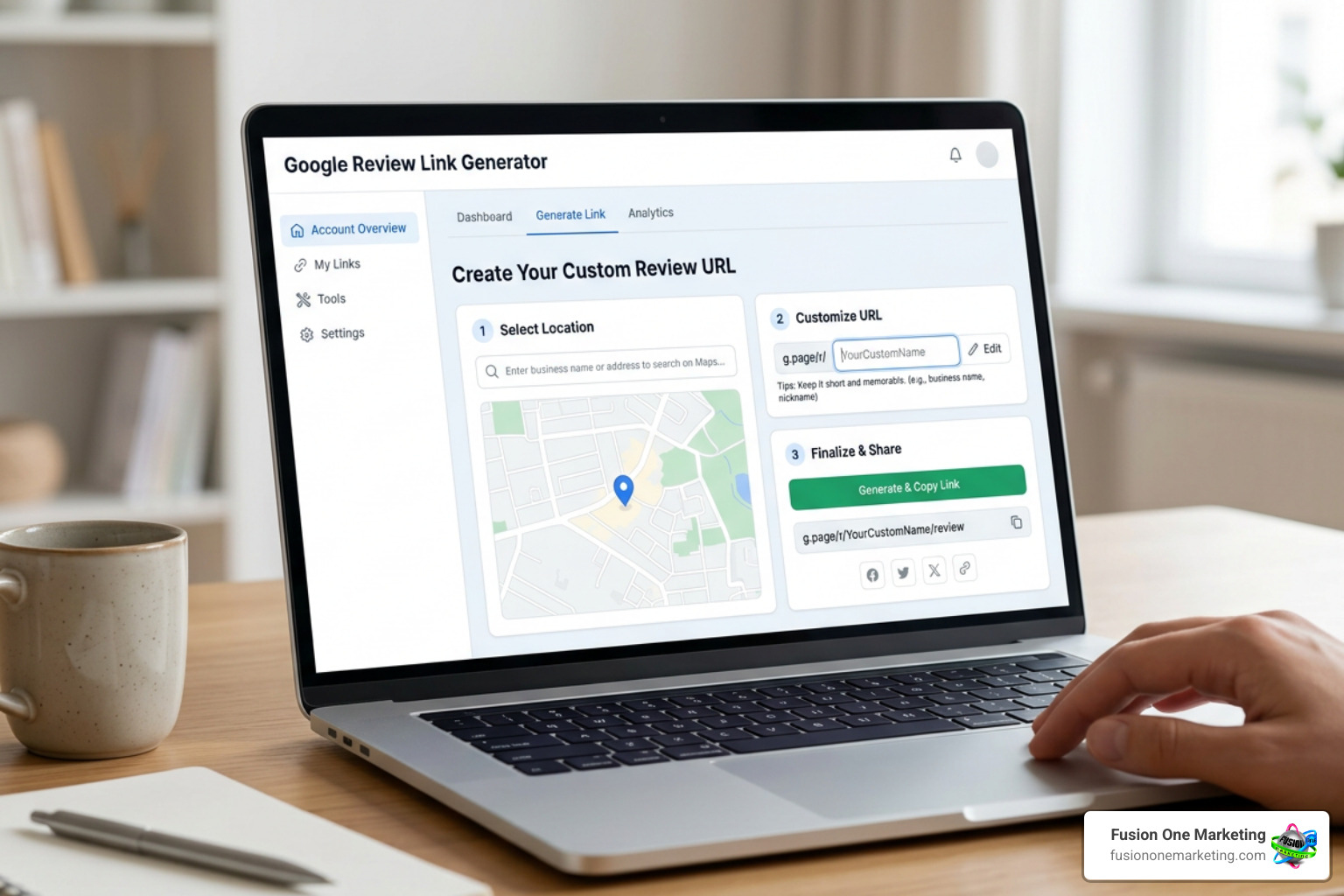
- The Google Business Profile Method: Sign in to your profile from a computer browser. Locate your dashboard and find the card labeled “Get more reviews” or “Ask for reviews.” Google will generate a short, clean link (usually starting with
g.page/orsearch.google.com/local/writereview). You can learn more about this directly from Create a Google link or QR code to request reviews – Google Business Profile Help. - Free Review Link Generators: If you want a quick way to find your direct link without digging through your Google dashboard, you can use the Free Google Review Link Generator & QR Code Creator | RatingFlow. Simply type in your business name, and it will pull your unique link instantly.
- Custom QR Code Tools: To turn that link into a beautiful, high-converting QR code, you can use the Google Review QR Code Generator Free · QR Code AI. This tool allows you to customize the QR design with your brand colors and even add a logo, making it look professional and trustworthy.
By combining a direct link with a proactive request strategy, you can easily implement the steps outlined in our guide on How to Get More 5-Star Reviews Online.
How to Create a Custom “Rate Us on Google” Link
If you prefer to build your custom link manually or need to troubleshoot a link that isn’t pointing directly to the review form, you can use your Google Place ID.
Every physical location on Google Maps has a unique identifier called a Place ID. To find yours, search for your business on the Google Maps Place ID Finder tool. Once you copy your Place ID, you can append it to the official Google review URL structure:
https://search.google.com/local/writereview?placeid=YOUR_PLACE_ID_HERE
When a customer clicks this custom link, it bypasses your main business profile page and immediately opens the pop-up window where they can select a star rating and type their review. This direct approach is highly recommended because it prevents users from getting distracted or lost on your main Maps page. For more technical details on how users interact with reviews on Maps, check out Add, edit, or delete Google Maps reviews & ratings – Computer – Google Maps Help.
Best Practices for Using “Rate Us on Google” Stickers and QR Codes
Once you have your QR code, it is time to bring it into the physical world. Google offers free resources to help, including the Google Marketing Kit, which provides downloadable posters, social media templates, and window stickers.
To ensure your printed materials look professional and scan reliably, follow these best practices:
- Keep Scale in Mind: When printing stickers or posters from your digital files, always print at 100% scale (do not use “scale-to-fit”). This prevents the QR code from distorting or becoming too blurry to scan.
- High-Quality Formats: Download your QR codes in high-resolution formats like vector PDFs or SVGs if you plan on printing large posters or signs.
- Add a Clear Call to Action (CTA): Never display a naked QR code. Always pair it with clear text like, “Scan to rate us on Google!” or “Tell us how we did!”
- Keep Custom Logos Small: If you use a custom QR code generator to add your company logo to the center of the code, ensure the logo covers less than 25% of the total QR area so phone cameras can still scan it easily.
For more hands-on advice on preparing your team to ask for reviews, explore our Top Tips for Requesting Google Reviews from Your Customers.
Where to Place Your Review Requests to Maximize Engagement
Generating the link is only half the battle; you must place it strategically where customers are most likely to engage. The key is to ask at the moment of highest customer satisfaction.
Here are the highest-converting placements for your rate us on Google requests:
- The Checkout Counter: For brick-and-mortar businesses in Birmingham or Helena, placing a physical sign or sticker at the register yields a massive 15-20% scan rate. Customers are already standing still, their transaction is complete, and their phones are usually already in their hands.
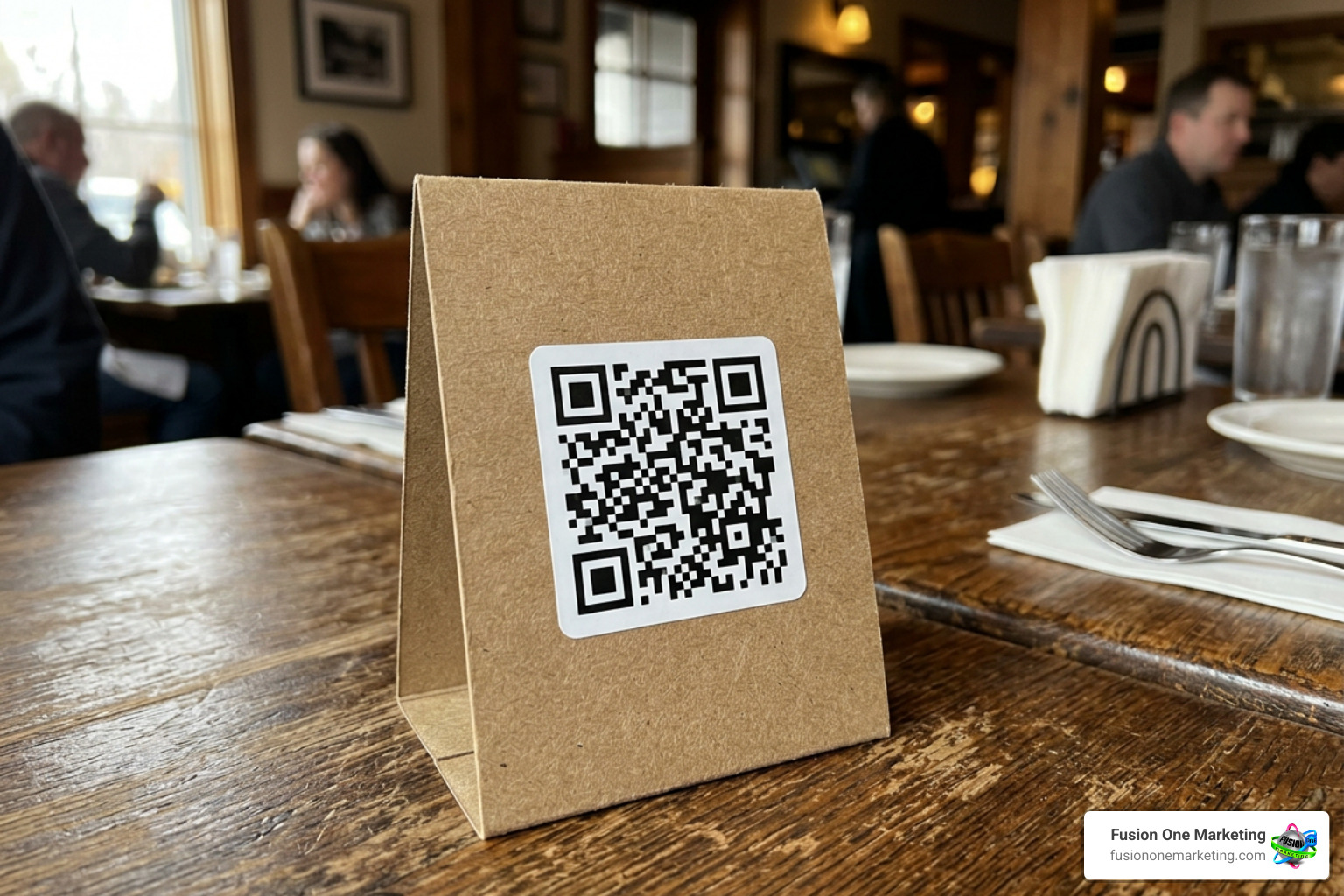
- Table Tents: If you run a service-oriented business where customers sit down, table tents are highly effective, bringing in an average scan rate of 8-12%.
- Invoices and Receipts: For home service professionals — like an HVAC technician finishing up a job in Huntsville — printing the QR code directly on physical invoices or adding the link to digital receipts is highly effective.
- Thank You Emails and SMS: Send a follow-up text or email within 24 hours of completing a service. Keep the message short: “Thank you for choosing us! Would you mind taking 15 seconds to rate us on Google?”
- Email Signatures: Add your review link to the daily emails your team sends out to clients.
If you operate a service-based business, you can find tailored strategies in our guide on How to Get More Online Reviews for Your Pest Control Business.
Google’s Official Guidelines and Policy Compliance
While getting more reviews is critical, doing it the wrong way can get your Google Business Profile suspended. Google takes the integrity of its platform very seriously and uses advanced automated systems to detect policy violations.
To keep your profile safe, you must comply with Google’s strict guidelines:
- No Prohibited Incentives: You must never offer discounts, free services, gift cards, or entry into a raffle in exchange for a review. Google defines this as fake engagement. Reviews must reflect a genuine, unbought experience.
- No Review Gating: Review gating is the practice of pre-screening customers (e.g., sending a private survey first, and only sending the Google review link to those who gave positive feedback). Google requires you to offer the review link to all customers, regardless of their experience.
- No Employee Reviews: Employees cannot leave reviews for the business they work for, nor can you post reviews on behalf of customers.
- Reviewer Ownership and Consent: Under standard privacy guidelines, the written content of a review belongs to the customer who wrote it. If you want to use a customer’s review in your marketing materials (like on your website or social media), you must obtain their explicit consent first. You can do this by replying to their review and asking for permission.
- Proper Logo Usage: When referencing Google in print or digital media, always use the official Google logo. Do not add decorative stars next to the Google name or imply that Google officially endorses your specific business.
For official details on maintaining compliance, read Tips to get more reviews – Google Business Profile Help. To build a reliable system that works within these rules, check out The Importance of Having a Review System.
How to Respond to Reviews and Build Customer Trust
Collecting reviews is a two-way street. When a customer takes the time to write a review, they expect a response. In fact, responding to reviews is a confirmed factor in local search rankings because it shows Google that you are an active, engaged business owner.
Here is how you should handle different types of reviews:
Positive Reviews
Keep your replies warm, short, and professional. Address the reviewer by name, thank them for their feedback, and mention a specific detail from their visit.
- Example: “Thank you so much, Sarah! We loved helping you with your lawn design in Helena. We hope to see you again soon!”
Negative Reviews
A negative review is not a disaster; it is an opportunity to show how much you care about customer service.
- Respond Quickly: Try to reply within 24 hours.
- Stay Calm: Never argue, get defensive, or make personal attacks.
- Apologize and Take it Offline: Acknowledge their frustration, offer a brief explanation if necessary (without making excuses), and provide a direct phone number or email address to resolve the issue privately.
- Example: “Hello John, we apologize that your service did not meet your expectations. We want to make this right. Please contact our office manager directly at 205-558-2130 so we can resolve this for you.”
To turn these situations around, read our guide on How to Turn a Negative Review into a Positive Experience. For a deeper look at why this matters, see Why Responding to Your Customers Online is Crucial and explore how to Improve Your Online Reputation.
Frequently Asked Questions About Google Reviews
Choosing the right tools and understanding how QR codes function can make a massive difference in your collection campaign. Here is a quick comparison of the two types of QR codes you can generate:
| Feature | Static QR Codes | Dynamic QR Codes |
|---|---|---|
| Destination URL | Fixed permanently when created | Can be changed at any time without reprinting |
| Scan Tracking | No tracking available | Track scan counts, locations, and times |
| Best Use Case | Permanent window stickers, business cards | Temporary marketing campaigns, multi-location routing |
How do I find my Google Place ID?
You can find your Place ID by using the official Place ID Finder tool on the Google Maps developer platform. Simply type your business name and address into the search bar on the map, and a pin will display your unique alphanumeric Place ID.
Can I offer discounts or freebies in exchange for Google reviews?
No. Offering any form of compensation — including discounts, free services, coupons, or raffle entries — in exchange for a review violates Google’s Terms of Service and FTC guidelines. Doing so can result in your reviews being deleted and your business profile being suspended.
What should I do if I receive a fake or inappropriate review?
If you receive a review that violates Google’s content policies (such as spam, harassment, or a review from a competitor who never used your services), do not argue. Instead, click the three dots next to the review on Google Maps, select “Flag as inappropriate,” and report the violation. Google will review it and remove it if it violates their policies.
Conclusion
Building a strong online presence does not happen overnight, but implementing a clear, compliant rate us on Google strategy is one of the fastest ways to drive measurable growth. By making it incredibly simple for your customers to leave feedback through direct links and custom QR codes, you will naturally boost your local search visibility, build trust, and outshine your local competitors.
Managing your online reputation, responding to feedback, and optimizing your Google Business Profile can feel like a full-time job. That is where we come in.
At Fusion One Marketing, we specialize in helping local businesses in Birmingham, Huntsville, and Helena, AL, dominate their local markets. Through our comprehensive “Digital Domination” program, we integrate professional SEO, custom website development, targeted social media, paid advertising, and proactive reputation management into a single, cohesive strategy designed to grow your business.
Ready to take control of your online presence and turn your customer feedback into a powerful growth engine? Let us help you set up a high-converting review system today.
- To learn more about how we can streamline your review collection, check out our Reputation Management services.
- To discover more strategies for growing your business through online feedback, read our complete guide: How to Get More Company Reviews and Grow Your Business.