
Is Advertising on Google Worth It for Your Small Business?
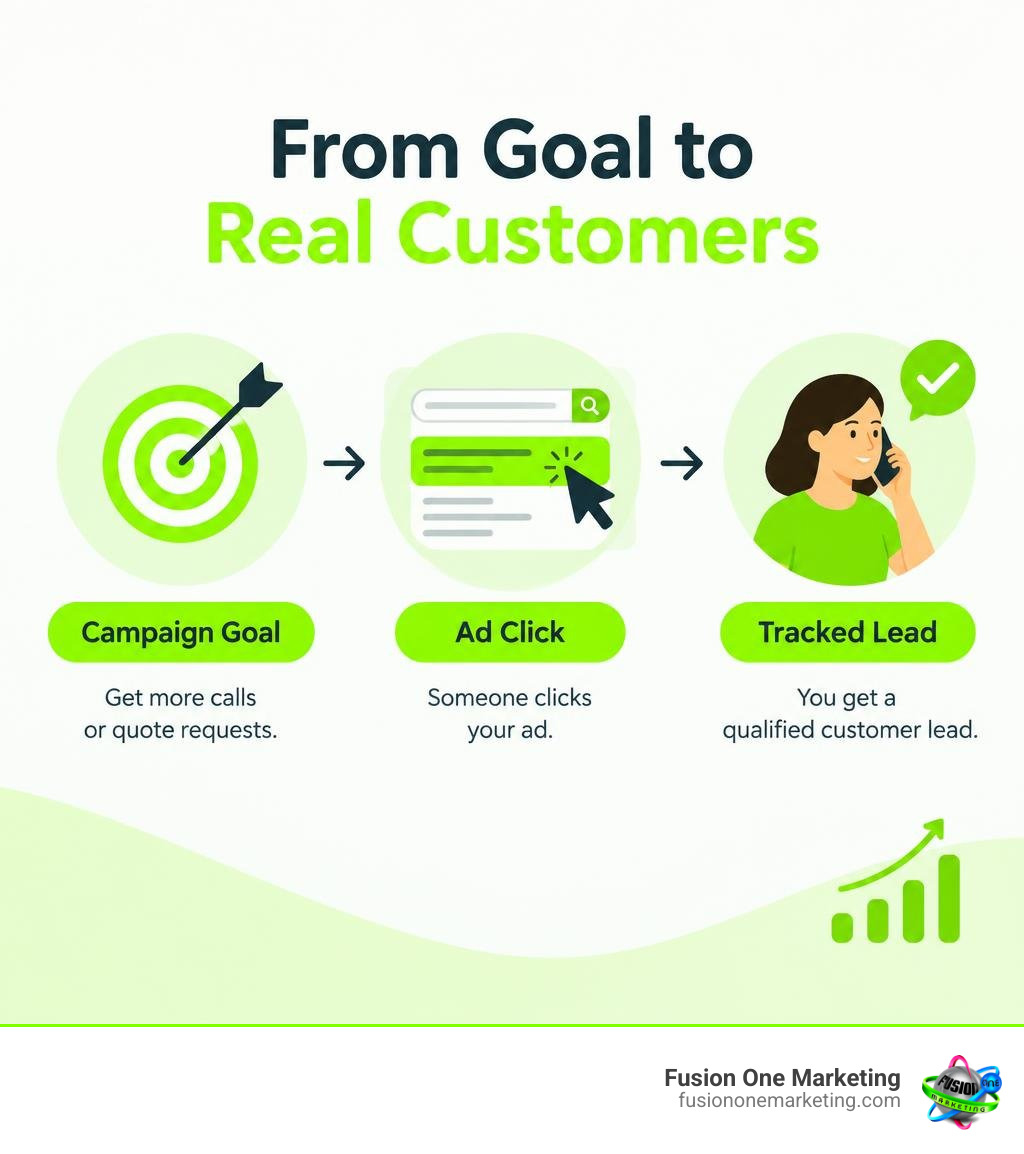
To advertise on Google, start with one goal, such as getting more calls or quote requests. Choose a campaign that fits it, set a daily budget you can afford to test, and track the leads your ads bring in. For a local home service business, Search ads can be a practical first test because they reach people already looking for the service.
Is it worth the cost? It can be, but clicks alone won’t tell you. Compare what you spend with the qualified leads and customers you gain.
I’m Rob Humm, co-owner of Fusion One Marketing. Since 2011, I’ve helped local businesses advertise on google through PPC and measure what their marketing dollars produce.
Advertise on google basics:
Is it worth it to advertise on Google as a small business?
When you run a local service business, every marketing dollar has to earn its keep. The reason Google remains the dominant paid advertising channel is simple: customer intent. Unlike social media platforms where users scroll past ads while catching up with friends, searchers turn to Google when they need an answer, a product, or an immediate repair. In fact, research shows that 67% of users who encounter brands on social media are subsequently influenced by Google Search to purchase a different brand. When someone’s water heater bursts in Birmingham AL, they do not wait for an algorithm to feed them a promotion—they open Google and search for immediate help.
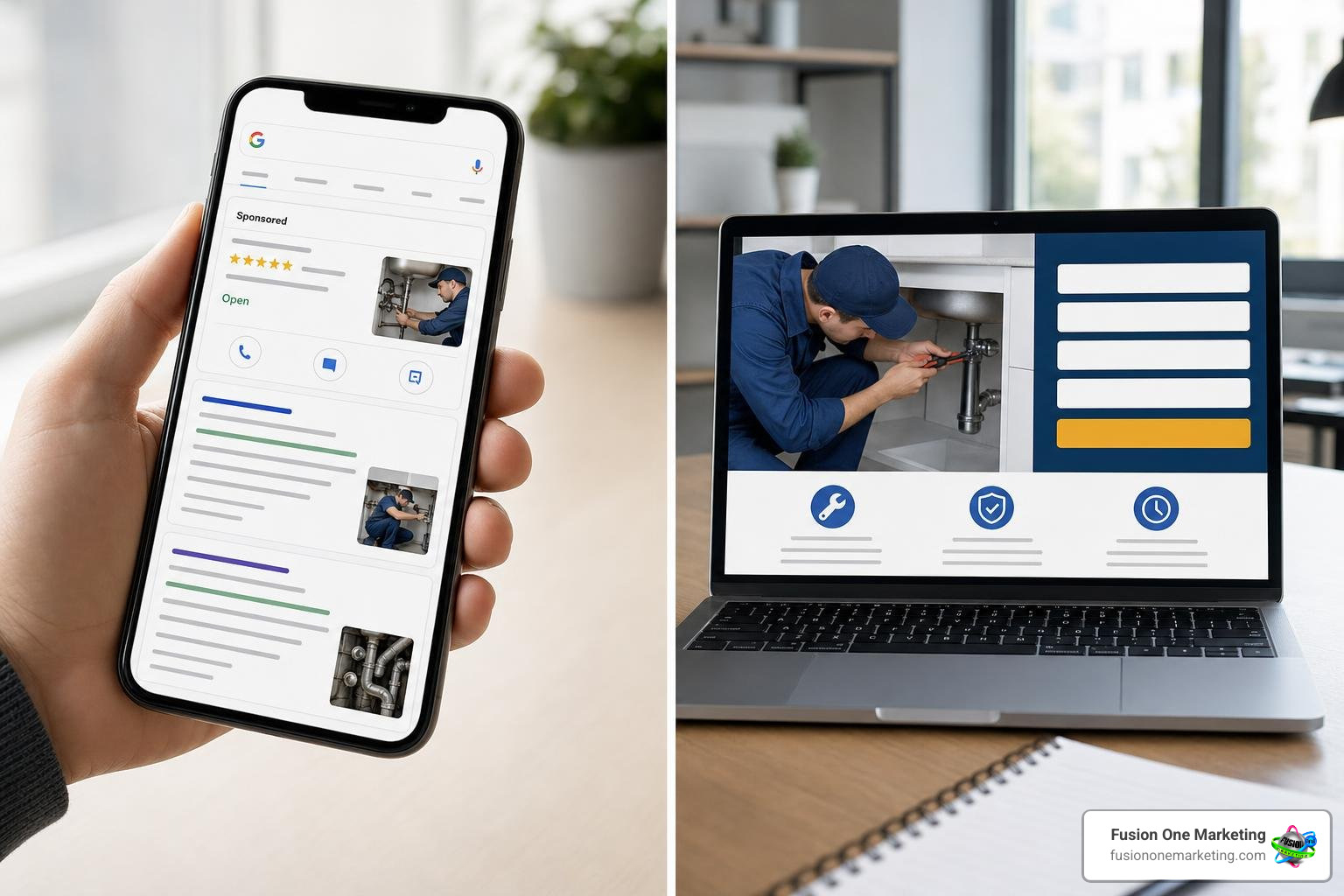
Evaluating whether advertising on Google pays off requires looking beyond vanity metrics like impressions and raw clicks. You need to assess your cost per click (CPC), conversion rate, and return on ad spend (ROAS). If an HVAC technician in Huntsville AL pays $15 per click, achieves a 10% conversion rate on their landing page, and closes 50% of those leads into a $6,000 system installation, the investment delivers clear profitability. Paid search gives you direct control over your inbound pipeline, allowing you to scale up when technicians need work and throttle back when schedules are full.
Which Google Ads campaign is right for your business?
Google offers several campaign types designed for distinct commercial goals. Selecting the right format prevents wasted spend and ensures your ads appear where your prospective customers actually make decisions.
| Campaign Type | Best-Fit Business Goal | Typical Reach & Networks |
|---|---|---|
| Search | High-intent lead generation, emergency services, direct sales | Google Search results, Google Search Partners |
| Performance Max | Maximizing conversions across all inventory from a single campaign | Search, YouTube, Maps, Display, Discover, Gmail |
| Shopping | E-commerce sales, physical retail inventory promotion | Google Shopping tab, Search results, Images |
| Display | Brand awareness, visual retargeting, top-of-funnel reach | Over 3 million websites and mobile apps |
| Demand Gen | Generating visual interest and demand before active search | YouTube Shorts, YouTube in-stream, Discover, Gmail |
| Video | Brand storytelling, consideration, video views | YouTube videos, Shorts, partner video sites |
| App | Driving mobile application installs and in-app actions | Google Play, Search, YouTube, Display Network |
For home service providers such as plumbers, roofers, and electricians in Helena AL, Search campaigns remain the gold standard. They capture immediate demand at the exact moment a prospect seeks a solution. Retailers benefit heavily from visually engaging Shopping ads featuring product pricing, while businesses looking for automated cross-channel expansion often lean into Performance Max to let machine learning discover high-converting pockets across Google’s entire portfolio.
When should you use Local Services Ads instead of standard Google Ads?
Many service-based business owners ask us about the difference between standard Google Ads and Google Local Services Ads (LSAs). Both appear at the top of Google Search results, but they operate on fundamentally different billing models, placement rules, and trust signals.
| Feature | Local Services Ads (LSAs) | Standard Google Ads (PPC) |
|---|---|---|
| Pricing Model | Pay-Per-Lead (calls, direct messages, bookings) | Pay-Per-Click (website visits, landing page views) |
| Placement | Very top of Google Search results (above standard PPC) | Below LSAs, above or below organic search results |
| Trust Badges | Google Guaranteed / Google Verified badge | Optional seller ratings and ad assets |
| Verification | Mandatory background, license, and insurance checks | Standard advertiser identity verification |
| Targeting | Service categories and geographic radius | Specific keywords, match types, demographics, audiences |
| Creative Control | Automated profile format based on business data | Fully customizable headlines, descriptions, and landing pages |
LSAs are ideal for qualifying trade professionals who want straight pay-per-lead simplicity. Standard Google Ads offer complete creative control over keyword targeting, landing page experiences, and custom bidding strategies. For businesses in competitive markets across Alabama, running both formats simultaneously creates a dominant presence that captures both directory-style searchers and users evaluating dedicated web pages.
What are the benefits and limits of advertising on Google?
Google Ads provides immediate market visibility, geographic precision, and measurable performance tracking. You set your own daily budget limits, select exact service zip codes, and adjust keyword targets at will. However, advertising on Google also carries distinct constraints. Highly competitive keywords can become costly, and poor landing page readiness can quickly drain your budget without producing qualified inquiries.
It is also vital to understand how search marketing compares with audience-based platforms. Weighing Facebook Ads vs. Google Ads comes down to intent: Google captures active demand from users actively looking for help right now, whereas social media platforms excel at generating awareness among passive audiences based on interests and demographics.
How to advertise on Google: account setup, keywords, and budget
Building an effective campaign requires a methodical setup. Google organizes advertising accounts into a hierarchy: the overall Account contains Campaigns (which control budget, location, and objective settings), Campaigns contain Ad Groups (which group related keywords together), and Ad Groups house specific Ads and Landing Pages.

To begin, you will need to create a Google Ads account and follow the initial prompts. Once your foundation is in place, you can create a campaign tailored to your primary operational objective.
How to set up a Google Ads account and launch your first campaign
To build your foundation correctly, follow these sequential steps:
- Enter Business Details: Provide your legal business name and primary website URL. Linking your verified Google Business Profile and active YouTube channel helps the system suggest relevant assets and local business details automatically.
- Configure Billing and Region: Select your billing country, currency, and time zone. Pay close attention to your time zone setting, as it permanently controls your ad scheduling and reporting data. Choose your payment method (credit card, bank account, or invoicing).
- Establish Conversion Goals: Define what constitutes a valuable action before launching. Common actions include submitted lead forms, scheduled consultations, and phone calls lasting over 60 seconds.
- Choose Campaign Objective and Type: Select an objective such as “Leads” or “Sales,” then pick “Search” as your campaign format.
- Set Geographic and Audience Targeting: Narrow your location reach to your actual service areas—such as specific municipalities or radius boundaries around Birmingham or Huntsville—and choose the languages your team supports.
- Upload Ad Assets and Launch: Supply headlines, descriptive text, callout assets, site links, and direct phone numbers. Review the system’s structural alerts, verify tracking, and submit your campaign. Following a comprehensive Google Ads checklist ensures you do not overlook critical settings during launch.
How to choose keywords and match types when you advertise on Google
Keyword selection determines whether your ad budget reaches serious buyers or casual window-shoppers. Begin by using Google Keyword Planner to discover real search queries, historic search volumes, and estimated bid ranges.
Focus heavily on transactional intent over purely informational queries. For instance, an informational search like “how to fix a leaking pipe” indicates a DIY searcher looking for a tutorial, whereas “emergency plumber in Birmingham AL” represents a commercial, high-intent lead ready to hire.
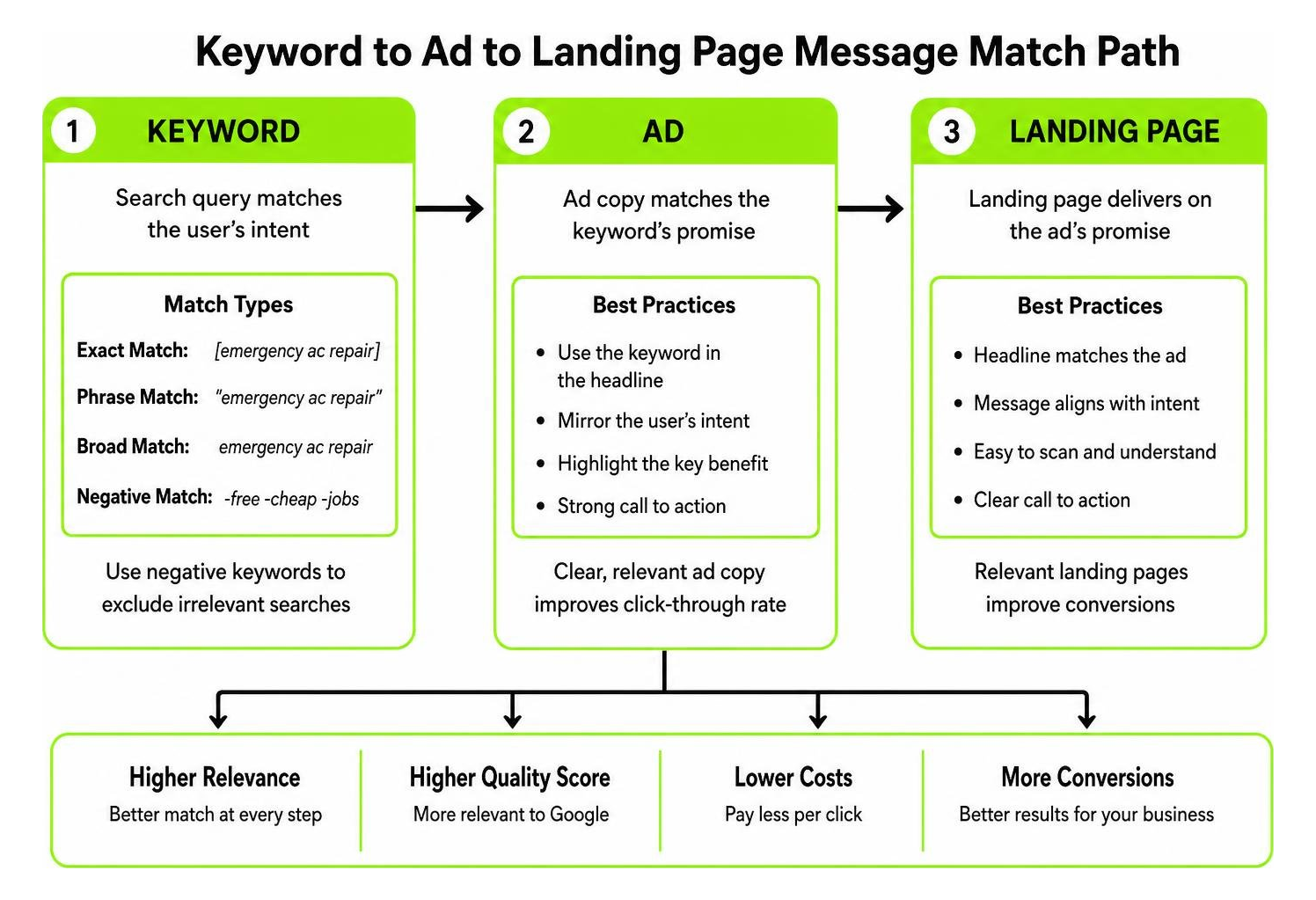
Organize your keywords into tightly themed ad groups containing 5 to 15 closely related terms. Pair these with negative keyword lists that systematically block terms like “cheap,” “jobs,” “classes,” or “wholesale” to protect your daily budget from unqualified clicks.
What budget and bidding strategy should a small business start with?
When launching a new campaign, start with a daily test budget calculated to produce enough click volume for meaningful data within 30 to 60 days. A reliable rule of thumb is setting a daily budget equal to at least 5 to 10 times the average cost per click for your primary keywords. Reviewing cost-per-click basics will give you a clear framework for how auction competition influences these initial figures.
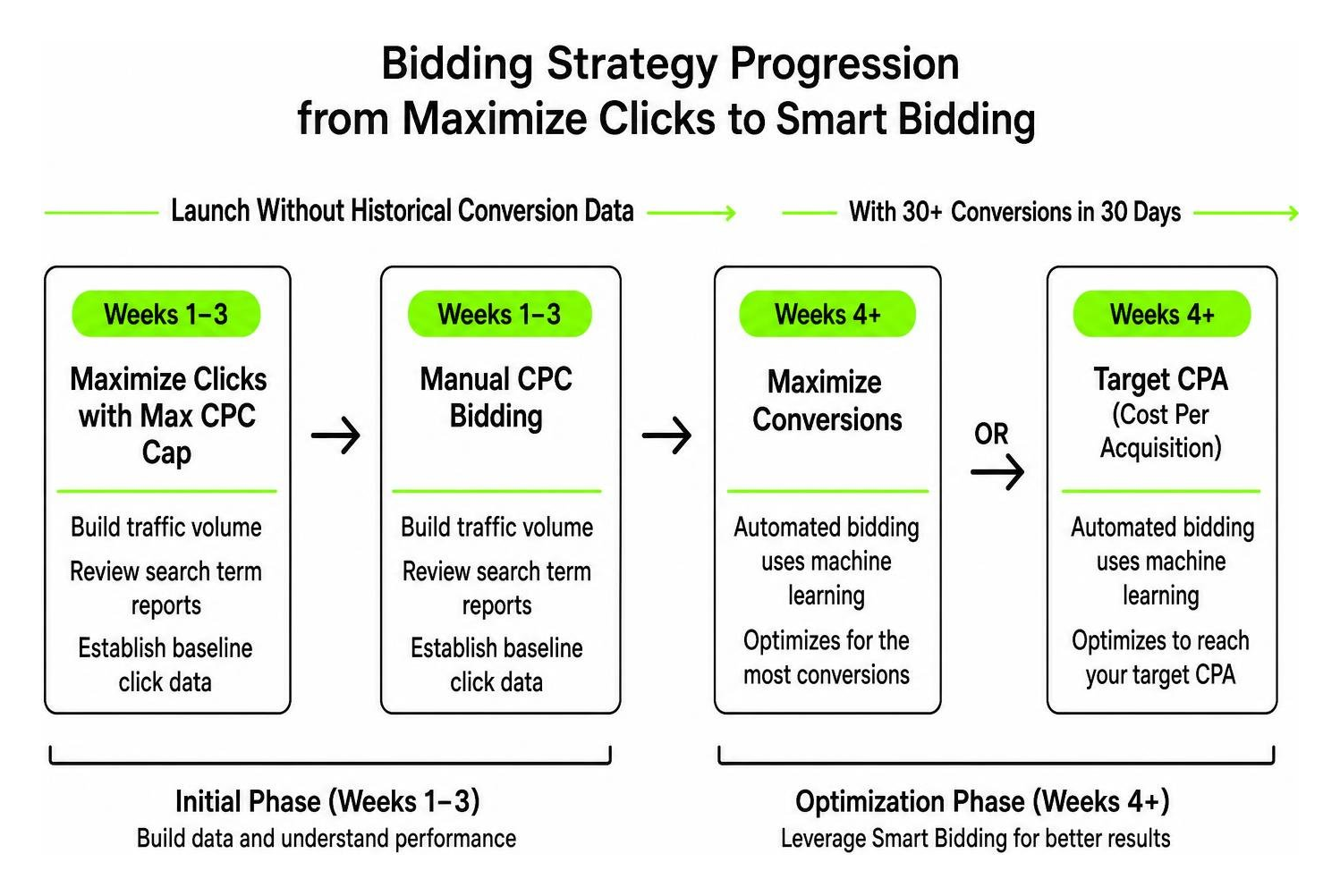
When launching without historical conversion data:
- Initial Phase (Weeks 1–3): Begin with Maximize Clicks with a reasonable maximum CPC cap, or manual CPC bidding. This builds traffic volume, allows you to review search term reports, and establishes baseline click data.
- Optimization Phase (Weeks 4+): Once your account records 30 or more confirmed conversions in a 30-day window, transition to automated Smart Bidding strategies such as Maximize Conversions or Target CPA (Cost Per Acquisition). This hands real-time bid adjustments over to machine learning algorithms trained on your actual customer patterns.
How to improve Google Ads results with relevance, AI, and privacy
Getting clicks is only half the battle; turning those clicks into profitable jobs requires relevance, clear landing page design, and proper machine learning guidance.
What is Quality Score, how is it calculated, and why does it matter?
Quality Score is Google’s diagnostic 1-to-10 rating that measures how relevant and helpful your search ads and landing pages are compared to other advertisers bidding on the same terms. It applies to Search campaigns and is visible at the keyword level in your dashboard.
Quality Score directly impacts the auction through the Ad Rank formula. Ad Rank is calculated using your bid amount, your Quality Score, the expected impact of your ad assets, and the context of the auction. A higher Quality Score allows you to earn a superior ad position while paying a lower actual cost per click than a competitor with sloppy, irrelevant ads.
How to improve ad relevance, Quality Score, and landing-page conversions
To optimize your Quality Score and increase on-page conversion rates, focus on strict message matching across the entire conversion path:
- Tightly Themed Ad Groups: Group keywords by specific services. Do not mix general plumbing terms with water heater repair keywords.
- Dynamic, Relevant Ad Copy: In your Responsive Search Ads, incorporate your target keywords naturally into multiple headlines and descriptions. Detail specific benefits (e.g., “Licensed & Insured Techs,” “Same-Day Response”), and include direct calls to action such as “Call for Fast Service.”
- Dedicated Landing Pages: Never send paid traffic to your generic homepage. If a user clicks an ad for “drain cleaning service,” send them to a dedicated drain cleaning landing page featuring clear pricing guidance, customer testimonials, and a prominent phone number.
- Mobile Speed and Usability: Over 60% of local service queries occur on mobile devices. Ensure your landing pages load in under two seconds, feature clickable phone numbers at the top, and include simplified contact forms.
How does Google AI optimize campaigns—and how can you guide it?
Google’s AI uses auction-time signals—such as device type, geographic location, browser settings, and time of day—to predict user intent and adjust bids automatically. However, machine learning is only as good as the data it receives.
To guide Google’s automation effectively:
- Connect Primary Data Sources: Integrate Google Analytics and Google Tag Manager with your advertising account so the AI learns from real visitor interactions.
- Assign Conversion Values: Differentiate between a basic email newsletter signup and a high-value phone call booking.
- Supply High-Quality Creative Assets: Provide diverse headlines, descriptions, high-resolution lifestyle images, and video assets rather than relying on automated placeholders.
- Allow for Learning Periods: Avoid making radical budget or structural changes during the first 7 to 14 days of an automated bidding test.
How does Google protect ad privacy, and what choices do users have?
Google has instituted strict privacy controls to balance targeted advertising with consumer transparency. Google does not sell personal information to third parties, nor does it use sensitive categories like health conditions, race, or religion to personalize ads. Core activity data defaults to an 18-month auto-delete lifecycle, and personalization is blocked for users known to be under 18.
Consumers manage their advertising experience through tools like My Ad Center, which lets users adjust brand preferences, limit sensitive categories (such as alcohol, gambling, or dating), or disable personalized ads entirely. Furthermore, the public Ads Transparency Center allows anyone to view active campaigns, verified advertiser identities, and geographic target areas, ensuring transparency across the entire advertising ecosystem.
Frequently Asked Questions About Advertising on Google
How can a verified storefront advertise through the Google Maps app?
Storefront businesses can launch simple localized campaigns directly within the Google Maps mobile application:
- Verify your Google Business Profile.
- Open Google Maps on your mobile device, tap Business in the lower corner, and select Advertise.
- Provide your target service radius, campaign budget, and core creative assets.
- Note: This simplified setup is reserved for verified physical storefronts; service-area-only businesses and companies in sensitive categories must use the standard Google Ads platform.
How long does it take to see results from Google Ads?
Search ads can generate impressions and phone calls within 24 to 48 hours of going live. However, reaching optimal campaign efficiency typically takes 30 to 60 days. This ramp-up window gives the bidding algorithms time to analyze auction trends, gather search term data, and allow advertisers to prune negative keywords while refining landing page performance.
Does a higher Quality Score guarantee a top ad position?
No. Quality Score is an internal diagnostic tool rather than an absolute ranking guarantee. Ad Rank is determined at auction time by combining your bid amount, auction context, user search signals, ad assets, and estimated CTR. While a high Quality Score helps you achieve premium positioning at a lower cost per click, an advertiser with a lower score can still outrank you if they place a significantly higher maximum bid.
Conclusion
Advertising on Google remains one of the most reliable ways for local businesses to build a predictable stream of qualified leads. Success requires selecting the right campaign structure, establishing a disciplined budget, executing message-matched landing pages, and continually refining search term queries.
At Fusion One Marketing, we help businesses take the guesswork out of paid digital advertising. Through our all-in-one Digital Domination program, we seamlessly integrate tailored SEO strategies, high-converting websites, social media management, and targeted PPC campaigns to build sustainable market leadership. Contact our team in Alabama today to build an advertising strategy that turns searches into real revenue.