

Understanding Google’s Rating Algorithm and SEO Impact
Google does not generate star ratings out of thin air. Your overall score is determined by a simple weighted average formula: the sum of all individual star ratings divided by the total number of reviews received.
Understanding how this rating feeds into search visibility is critical. Google’s local search algorithm evaluates three main factors when deciding which businesses rank in the coveted Map Pack: relevance, distance, and prominence. Your aggregate star rating and total review count are major components of local prominence.
When search engines determine that local consumers consistently trust your business, your rank improves. To dig deeper into how search engines treat client feedback, explore our guide on Do Google Reviews Impact Your SEO and learn Why Online Reviews Are So Important for Your Business.
How Google Calculates Ratings and Displays Rounding
One common question business owners ask is whether receiving a single 1-star review ruins their chance of showing a 5-star rating forever. Mathematically, once you receive anything less than five stars, your absolute average drops below a clean 5.0. However, Google’s visual display rules offer a practical cushion.
Google uses a visual rating threshold that rounds up star scores on your Google Business Profile. For instance, if a business earns 79 five-star reviews and 1 one-star review, its calculated average is approximately 4.99. In public search listings and Google Maps, Google visually rounds 4.99 up to display as a full 5-star rating. This display rounding gives local businesses a realistic path to restore a top-tier appearance even after receiving occasional negative feedback.
The SEO Power of Velocity, Recency, and Detailed Content
While average ratings are important, Google’s algorithm values review velocity (how consistently you collect reviews) and recency far more than static volume accumulated years ago. A total count of 200 reviews earned five years ago holds less weight today than acquiring 3 to 4 reviews every week. Recent research highlights that 74% of consumers only care about reviews written in the last three months.
Furthermore, detailed content in reviews provides context that boosts search rankings. When satisfied clients mention specific services or location context in their comments, search engines pick up on those terms naturally. Modern AI search recommendation platforms—such as ChatGPT, Perplexity, and Google AI Overviews—actively scan review text for user sentiment and keyword details when generating answers to local queries, as noted in Shopify’s guide on Google reviews.
Proven Strategies to Get 5 Star Google Reviews Policy-Compliantly
To get 5 star Google reviews consistently, you must eliminate friction from the customer journey. Expecting a customer to open Google, search for your exact business name, locate your profile, and hunt for the review button creates too many drop-off points. You need a dedicated review generation workflow.
If you’re looking for actionable ways to scale your outreach, check out our insights on Getting 5 Star Reviews and master How to Get More 5 Star Reviews Online.
Creating Direct Google Review Links and Strategic QR Placement
The core of any review collection strategy is a direct review shortlink. To generate yours:
- Log into your Google Business Profile dashboard.
- Navigate to the “Ask for reviews” card on your home screen.
- Copy the unique direct link provided by Google.
When customers click this link, it opens the review submission box directly on their desktop browser or smartphone.
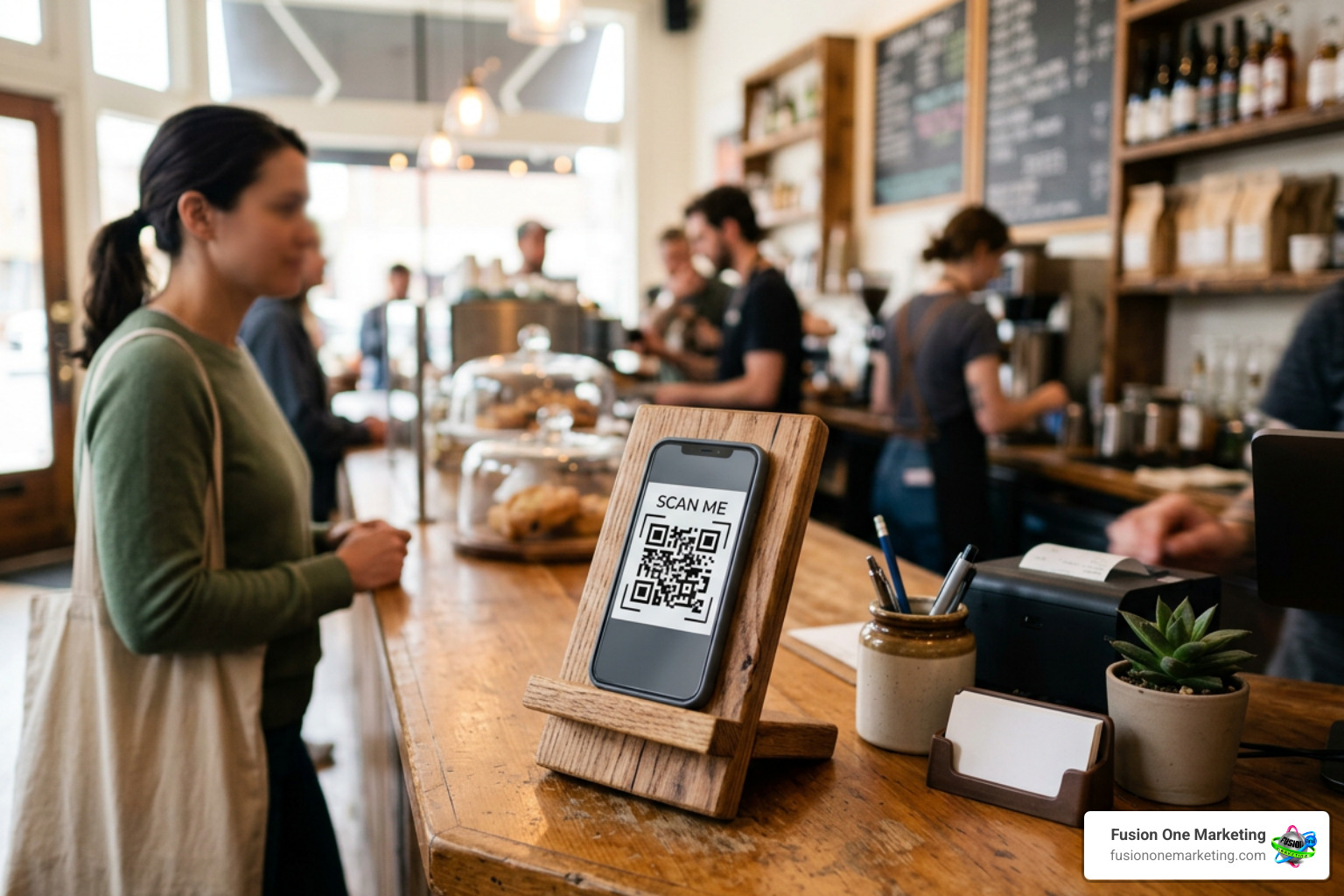
Take this direct link and turn it into a scannable QR code. Place these QR codes strategically across physical customer touchpoints:
- Countertop Signage: Display clean, professional signs at reception desks and checkout counters.
- Printed Receipts & Invoices: Include a QR code alongside a simple invitation like “Scan here to leave us feedback!”
- Leave-Behind Cards: Hand physical cards directly to homeowners after finishing a trade or service job.
Perfecting Request Timing: SMS vs. Email vs. In-Person
Timing directly impacts conversion rates. Sending a review link via SMS within a two-hour post-service window yields the highest conversion rates because the positive interaction is fresh in the customer’s mind.
| Review Channel | Average Open / Engagement Window | Ideal Use Case |
|---|---|---|
| In-Person Request | Instant (Immediate verbal agreement) | Directly following a verbal compliment at job completion |
| SMS Text Message | High engagement within 2 hours | Immediate post-service follow-up for field trades |
| Email Outreach | 24 to 48 hours post-interaction | B2B services, complex projects, or multi-day jobs |
When asking in person, simple verbal scripts work best. Train field staff to say: “We’re so glad we could get your HVAC running smoothly today! We’re a local business, so Google reviews really help us out. Would you mind if I texted you a direct link to leave us a quick review?”
For more outreach tips, read our article on Top Tips for Requesting Google Reviews from Your Customers.
Streamlining Automation with eSign Workflows and CRM Triggers
Automation allows you to maintain consistent review velocity without manual effort. Modern Field Service Management (FSM) tools and CRMs (like ServiceTitan, Housecall Pro, or HubSpot) can trigger an automated SMS or email containing your direct review link as soon as a job status is marked “Complete.”
Another seamless integration tactic involves eSign document workflows. Once a client completes a digital sign-off on a project completion form or service agreement, configure the software to redirect them straight to your Google review landing page. Catching clients at these natural micro-moments of accomplishment leads to higher response rates.
Team Training and Policy Compliance Essentials
Your team members are the frontline ambassadors of your brand. Aligning your staff around feedback collection turns routine customer encounters into continuous review opportunities.
Discover additional zero-cost growth tactics in our guide on How to Score Free Google Reviews and Make Your Competitors Jealous.
Training Your Team to Get 5 Star Google Reviews Naturally
To turn review requests into a natural habit, equip your staff with clear guidelines and fair incentives:
- Point-of-Sale Verbal Asks: Train technicians, office dispatchers, and cashiers to identify moments of customer delight. When a client says, “You guys were fast!”, staff should respond: “Thank you! Would you mind sharing that experience in a quick Google review?”
- Named Employee Incentives: Offer a financial bonus (e.g., $10 to $20) to team members for every positive Google review that mentions them by name.
- Celebrate Internal Wins: Create a dedicated channel in your internal team messaging app (like Slack or Microsoft Teams) where incoming 5-star reviews post automatically. Public recognition builds a customer-centric company culture.
How to Get 5 Star Google Reviews Without Policy Violations
While encouraging reviews is allowed, stepping outside Google’s terms of service or Federal Trade Commission (FTC) guidelines can severely harm your account.
- Never Practice Review Gating: Review gating is the practice of asking customers if they had a positive experience, then sending happy customers to Google while routing unhappy customers to a private contact form. Google explicitly bans review filtering. You must present the same direct review option to every customer.
- No Customer Incentives: You cannot offer discounts, entry into raffle drawings, gift cards, or free services to customers in exchange for leaving a review.
- Do Not Explicitly Ask for “5 Stars”: Your request should ask for honest, authentic feedback rather than conditioning the client to leave a specific star rating.
- Avoid Buying Paid Reviews: Purchasing reviews from third-party vendors violates platform terms and legal guidelines. Google actively detects suspicious bulk IP activity and profile patterns.
Managing Responses to Elevate Your Star Rating
Getting reviews is only half the job; responding to them completes the engagement cycle. Answering reviews signals to both prospective customers and search engines that you run an active, accountable operation.

Read our deep dive on Why Responding to Your Customers Online is Crucial and understand The Importance of Online Reviews across your broader digital footprint.
Turning Negative Feedback into Positive Brand Experiences
A negative review is not an automatic disaster; it is a public test of your customer service. How you reply matters just as much as the rating itself.
When handling a 1-star review:
- Remain Calm and Professional: Avoid defensive or aggressive responses.
- Acknowledge and Apologize: Validate their experience without necessarily admitting legal liability.
- Move the Conversation Offline: Provide a direct email or phone number for a manager so the issue can be resolved privately.
- Fix the Issue: If you resolve the client’s concern over the phone, they will often update or remove their negative feedback voluntarily.
If you receive a review that is blatantly fake, spammy, or posted by someone who was never a customer, log into your Google Business Profile, locate the review, click the options menu, and flag it for policy violation. If a negative post violates platform content rules, Google will remove it upon review. For a step-by-step recovery process, read How to Turn a Negative Review into a Positive Experience.
Maximizing Positive Reviews for SEO and Conversions
Never leave positive reviews hanging with a generic “Thanks!” Reply personally by referencing the customer’s name and specific details of the service provided.
When crafting responses, naturally incorporate relevant local keywords (e.g., “Thank you for choosing us for your AC repair in Birmingham!”). This provides additional location and service signals for search crawlers.
Finally, squeeze extra value out of your best feedback:
- Take screenshots of glowing 5-star comments and cross-post them on your Facebook and Instagram accounts.
- Embed live Google review widgets on your website home page and service landing pages to build trust with site visitors.
Frequently Asked Questions About Google Reviews
Can you regain a 5.0 rating after receiving a negative review?
Yes. While a bad review mathematically lowers your true score below 5.0, Google’s visual rating display rounds scores like 4.95–4.99 up to a full 5-star rating in search results and Google Maps. By continuously acquiring authentic, high-rating feedback, you can dilute the single lower rating and restore your profile’s visual 5-star display. Additionally, if the negative feedback breaks Google’s posting terms (such as off-topic spam or fake engagement), you can flag it for removal.
How many 5-star reviews are needed to offset a single 1-star review?
Because Google uses a simple weighted average formula, the exact number depends on your starting baseline:

- If you have 4 five-star reviews and receive 1 one-star review, your score drops to 4.2. You will need 35 additional 5-star reviews to pull your weighted average back up to 4.9.
- If you already have 100 five-star reviews and receive 1 one-star review, your score drops to 4.96 (which still visually rounds to 5 stars on Google).
What happens if a business buys reviews or uses review gating?
Violating platform policies brings significant penalties. Google employs automated detection systems that analyze reviewer account ages, IP locations, and submission velocities. If review gating or purchased reviews are detected, Google may:
- Permanently purge flagged reviews from your profile.
- Suspend or disable your Google Business Profile listing completely.
- Place prominent warning badges on your business listing informing searchers that fake reviews were detected, destroying consumer trust.
- Expose your business to FTC financial penalties for deceptive advertising practices.
Conclusion
Consistently securing high-rating Google feedback isn’t about luck or sending out sporadic email blasts when business slows down. It requires building an ongoing operational routine. By delivering excellent service, automating requests via text and email within two hours, training your staff, and managing every response professionally, you will build an unstoppable local reputation.
At Fusion One Marketing, we help businesses in Birmingham, Huntsville, and Helena, AL simplify their local SEO and reputation management through our comprehensive “Digital Domination” program. If you are ready to turn your online presence into a customer acquisition engine, discover How to Get More Company Reviews and Grow Your Business with our expert team today!